
We do accept PayPal, and a number of our regular customers use it every time they order. If the PayPal option isn't appearing at checkout, the most common reason is straightforward to fix.
The most likely cause - you have a Subscribe & Save item in your basket. Subscriptions can only be paid for by card, so PayPal is automatically hidden at checkout when your basket contains a subscription order. This is the reason behind the majority of cases where PayPal doesn't appear.
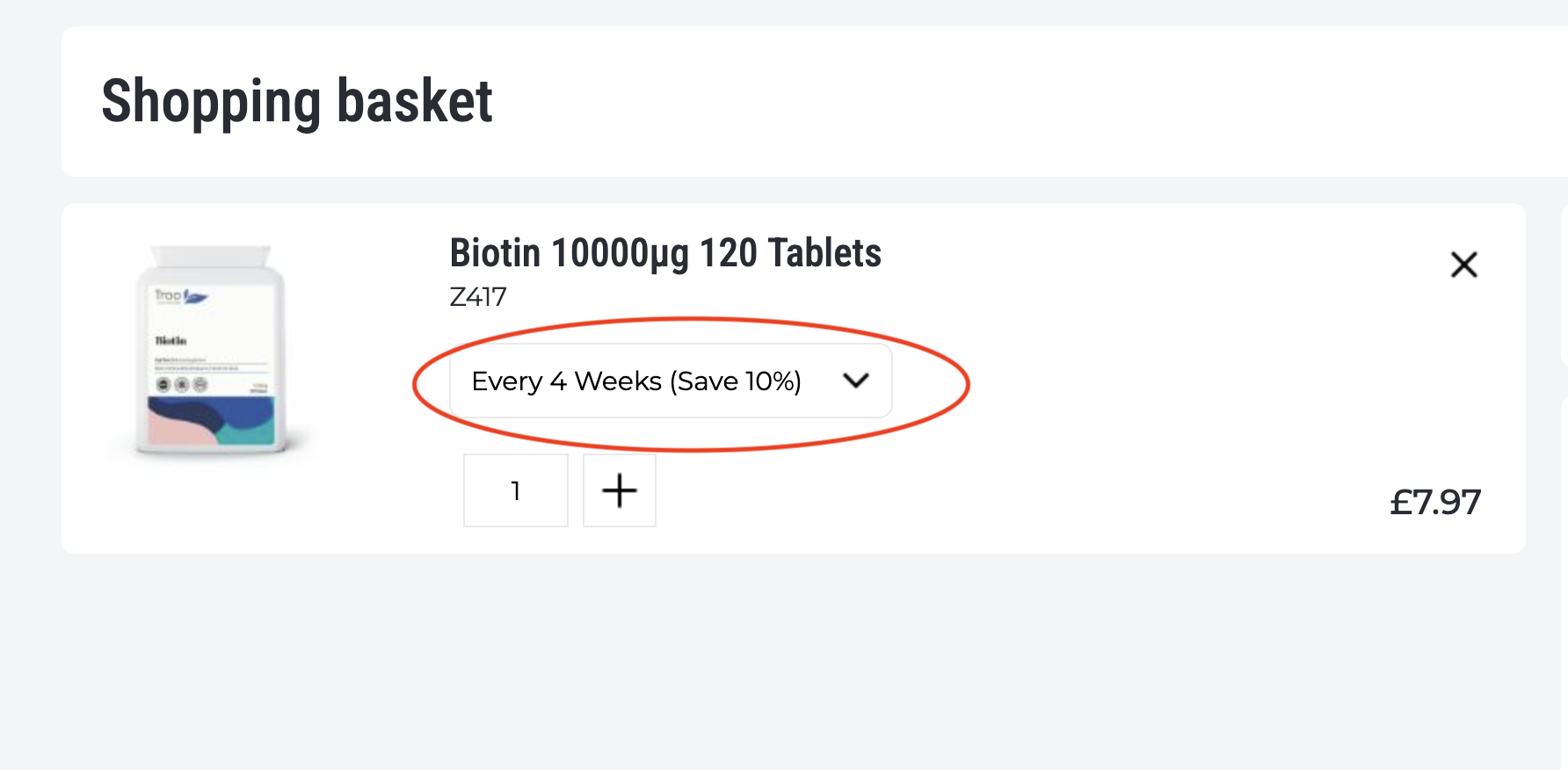 To fix it, go back to your basket and find the delivery interval selector on the relevant product - it will be showing something like "Deliver every X weeks" or similar. Change this to "Deliver Once". Once you've done that, return to checkout and PayPal should appear as a payment option.
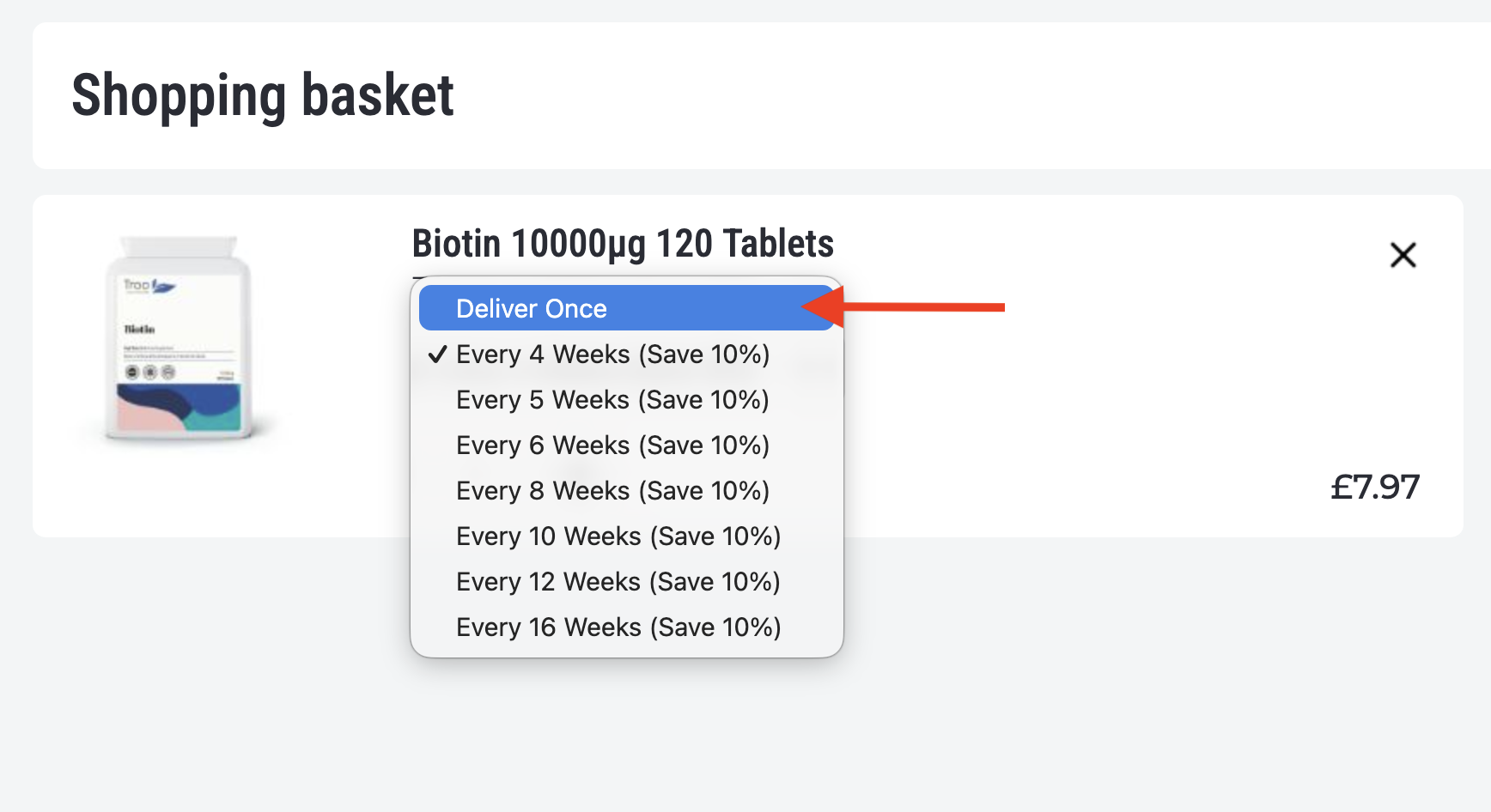
If you still want to subscribe to the product, you can set the subscription up after your first order, or switch the item back to Subscribe & Save and pay by card for that order.
If you don't have a subscription item in your basket. In rarer cases, PayPal may not load due to a browser extension (ad blockers in particular can interfere with it) or a temporary loading issue. Try refreshing the page, or switch to a different browser such as Chrome or Firefox. If it's still not appearing after trying these steps, email us at support@troohealthcare.com with details of what you're seeing and we'll help.