
Subscribe & Save lets you receive your regular supplements automatically, with every item discounted by at least 10% - many products by significantly more, with the exact discount shown on each product page. Every Subscribe & Save order also ships free across the UK, regardless of value. That includes your first subscription order, not just the repeats.
This article explains how your subscription works and how to manage it from your account.
How to find your active subscriptions
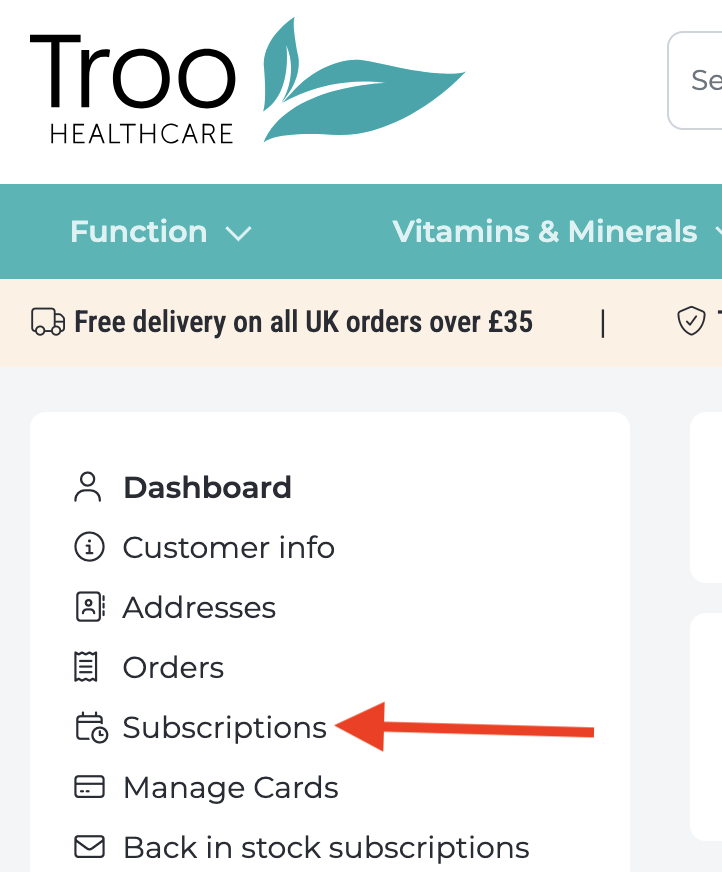
Log in to your Troo Health Care account and click the account icon in the top right. On a laptop or desktop, select My THC and look for the Subscriptions section on the left.
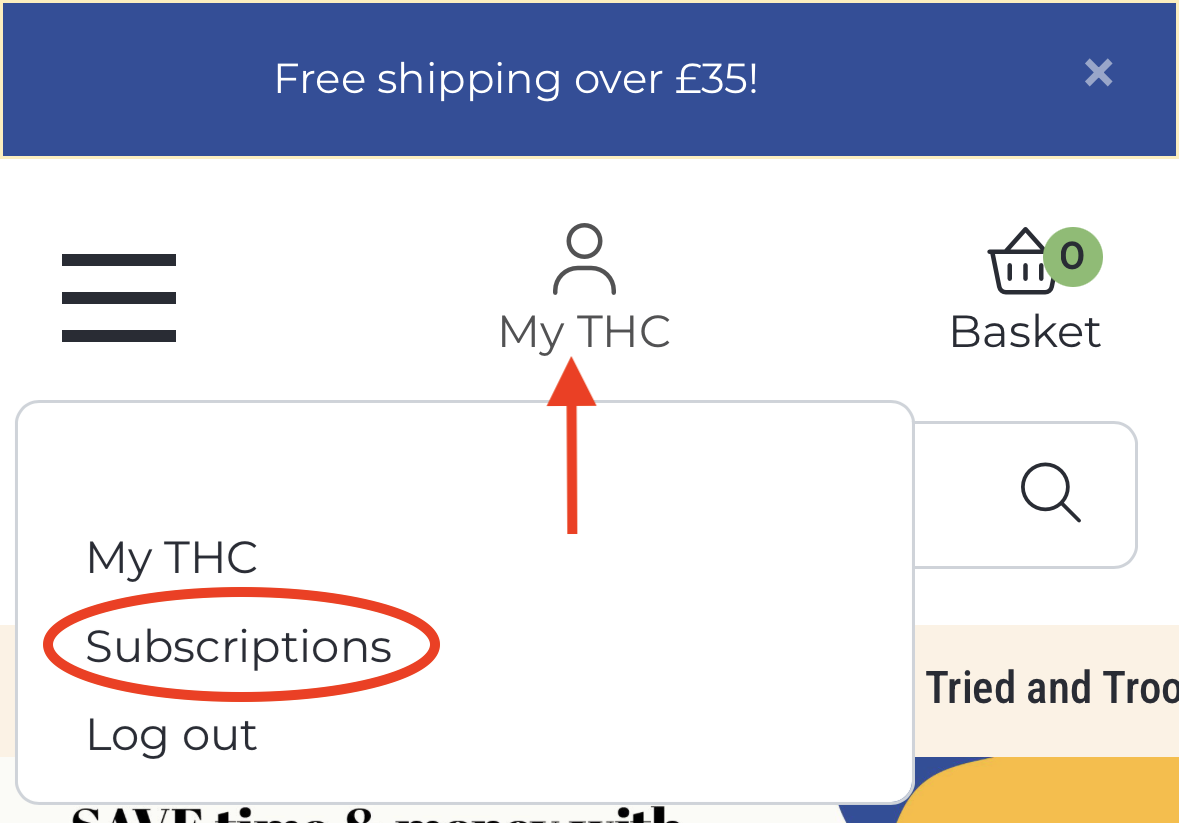
On mobile devices, tap My THC at the top of the screen and select Subscriptions.
This shows all your active subscription orders, their frequency, and the next scheduled delivery date.
How charges work
Your payment is taken automatically before each order is dispatched, at the frequency you set when you subscribed. You'll receive an email three days before each charge so you've got time to pause or cancel if your circumstances have changed. The charge will appear on your statement as Troo Health Care.
How prices on subscription orders are calculated
Each subscription order is charged at the active retail price at the time the order is placed, less the subscription discount that applies to that specific product (at least 10%, and often more - the exact discount is shown on each product page). If we've adjusted prices since you set up your subscription, the new price applies - but the discount is always applied on top of whatever the current price is.
How to pause or skip a delivery
In the Subscriptions section of your account, you can delay your next delivery or skip it entirely without cancelling. This is useful if you've still got product in stock and don't need the next order yet.
How charges work
Your payment is taken automatically before each order is dispatched, at the frequency you set when you subscribed. You'll receive an email three days before each charge so you've got time to pause or cancel if your circumstances have changed. The charge will appear on your statement as Troo Health Care.
How prices on subscription orders are calculated
Each subscription order is charged at the active retail price at the time the order is placed, less the subscription discount that applies to that specific product (at least 10%, and often more - the exact discount is shown on each product page). If we've adjusted prices since you set up your subscription, the new price applies - but the discount is always applied on top of whatever the current price is.
How to pause or skip a delivery
In the Subscriptions section of your account, you can delay your next delivery or skip it entirely without cancelling. This is useful if you've still got product in stock and don't need the next order yet.
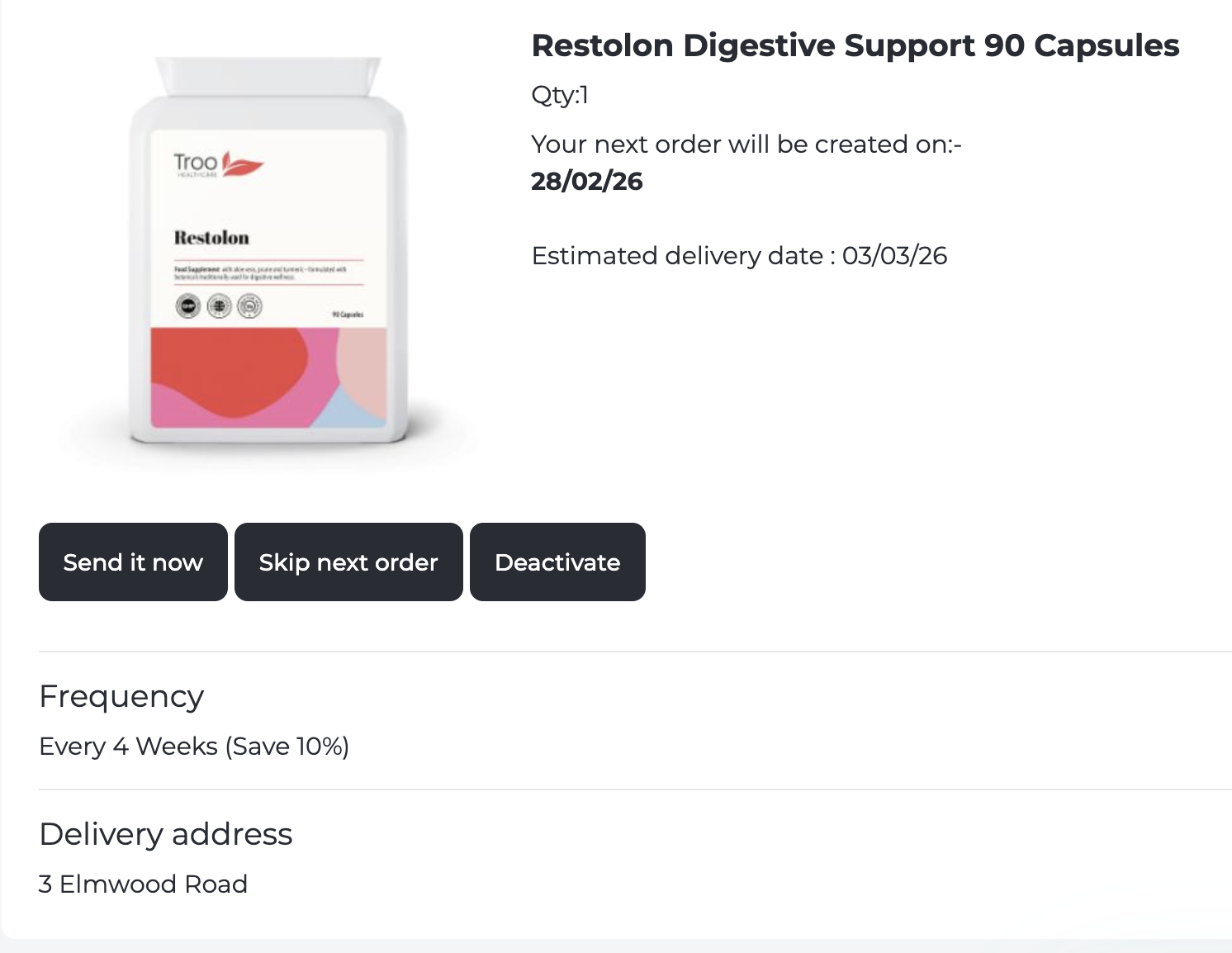
Go to the Subscriptions section, find the relevant subscription, and select Deactivate. There's no minimum term and no cancellation fee.
If you've been charged unexpectedly
The most likely reasons are: you subscribed during checkout and the reminder email went to your spam folder; a subscription was reactivated; or your delivery frequency is shorter than you remembered. Log in and check the Subscriptions section to see what's active. If something looks wrong - particularly if you've had more charges than expected - contact us straight away and we'll investigate and, where appropriate, arrange a refund.
If you can't see subscriptions in your account
Your subscription may be attached to a different email address. Try logging out and back in with any other email you might have used. If that doesn't help, Contact us and we'll look it up for you.
If you didn't mean to subscribe
You can place a one-time order without subscribing - make sure to select the single-purchase option (deliver once only) on the product page rather than Subscribe & Save before adding to your basket. If you've subscribed by accident, you can cancel immediately and you won't be charged again beyond the first order.
For any subscription question that isn't covered here, please contact us. Our team typically responds within one business day.
Please view this user video showing how to manage your subscription step by step.